Your phone is the remote
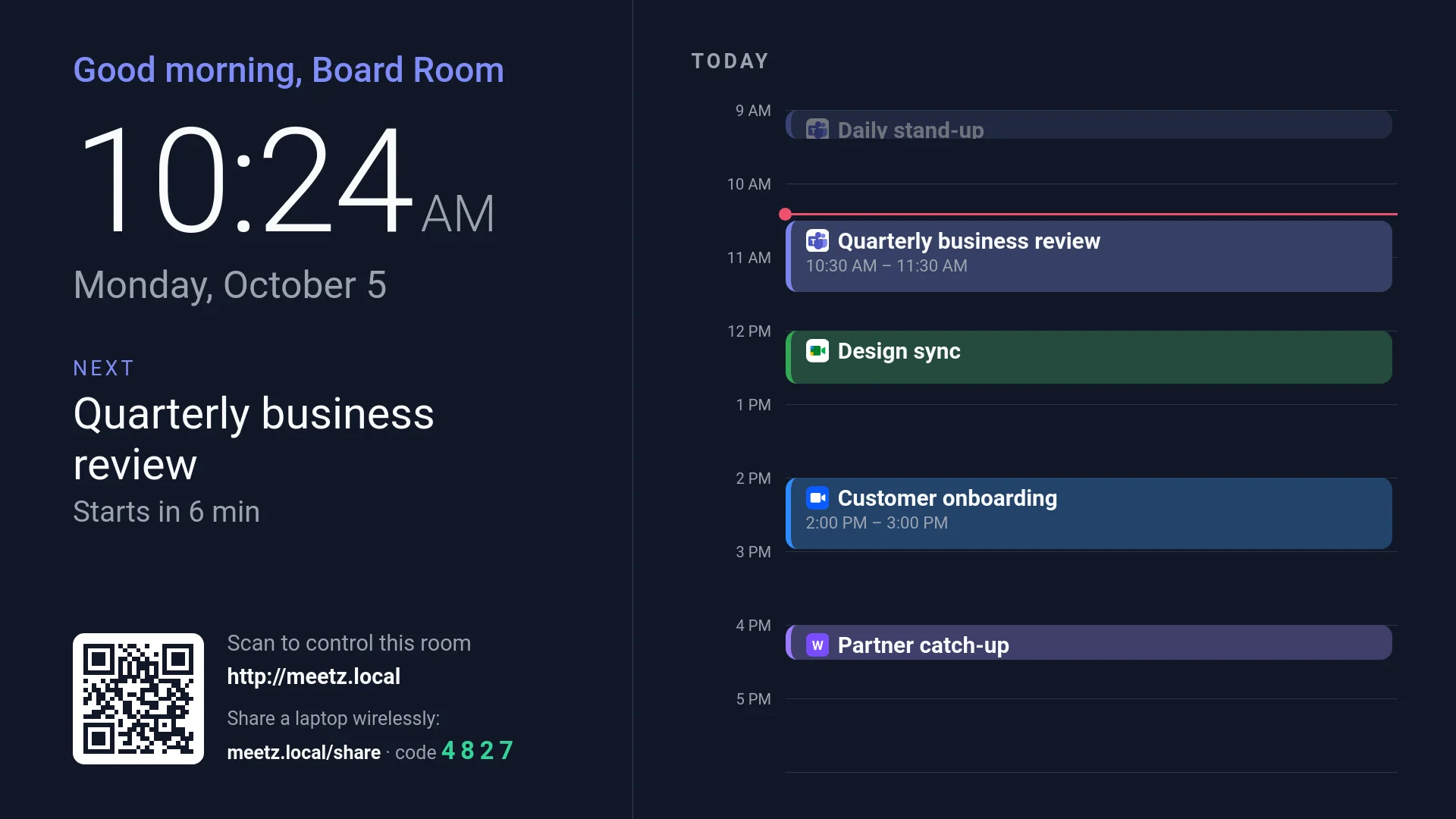
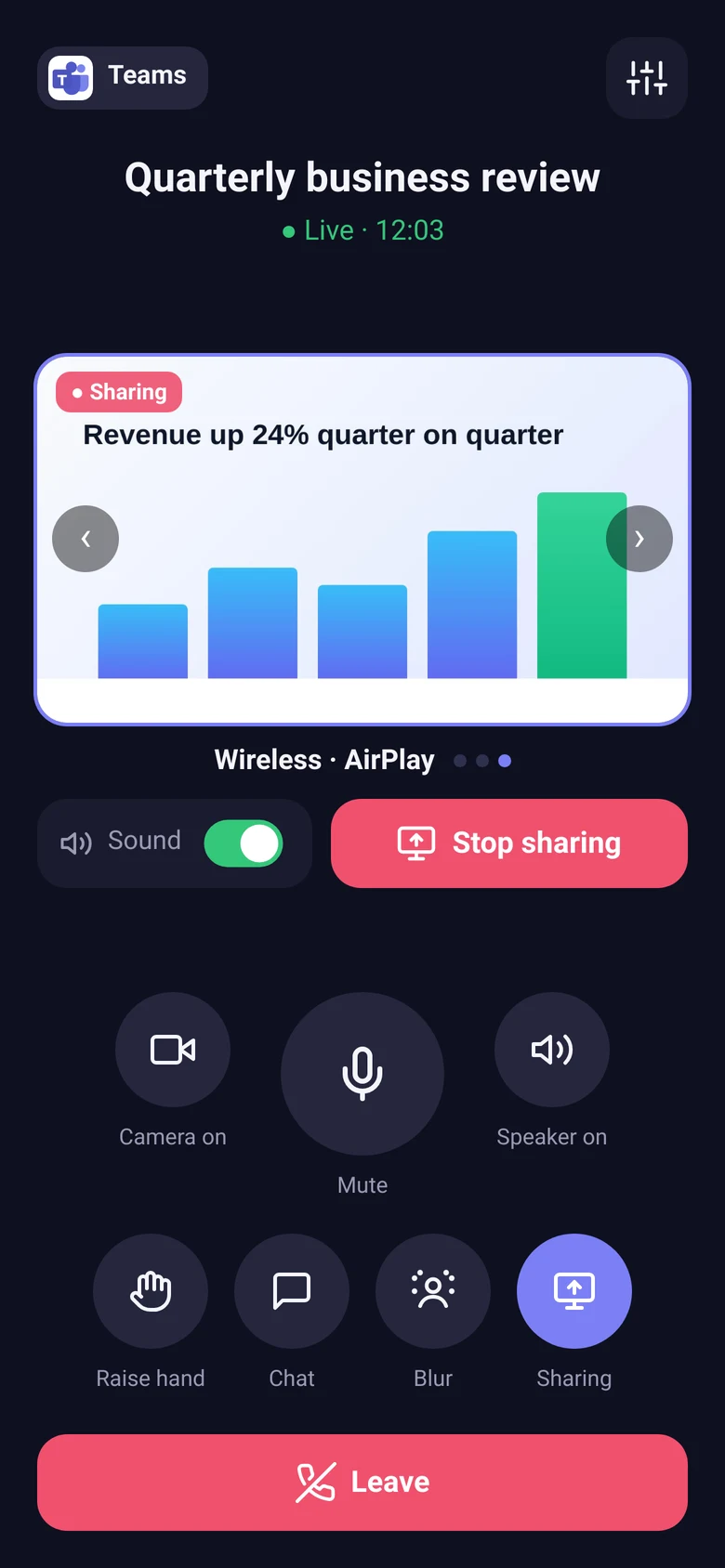
Scan the code on the TV and you're in control — mic, camera, volume, hand raise, reactions and leave.
MeetZ turns a TV and a PC into a complete meeting room. Join Teams, Google Meet or Zoom from your phone, see the day's schedule on the big screen, and share a laptop — wired or wireless — in one tap.
Joins meetings on
Why rooms switch
Simple for whoever walks in, dependable for IT, and the same on every platform.
Scan the code on the TV and you're in control — mic, camera, volume, hand raise, reactions and leave.
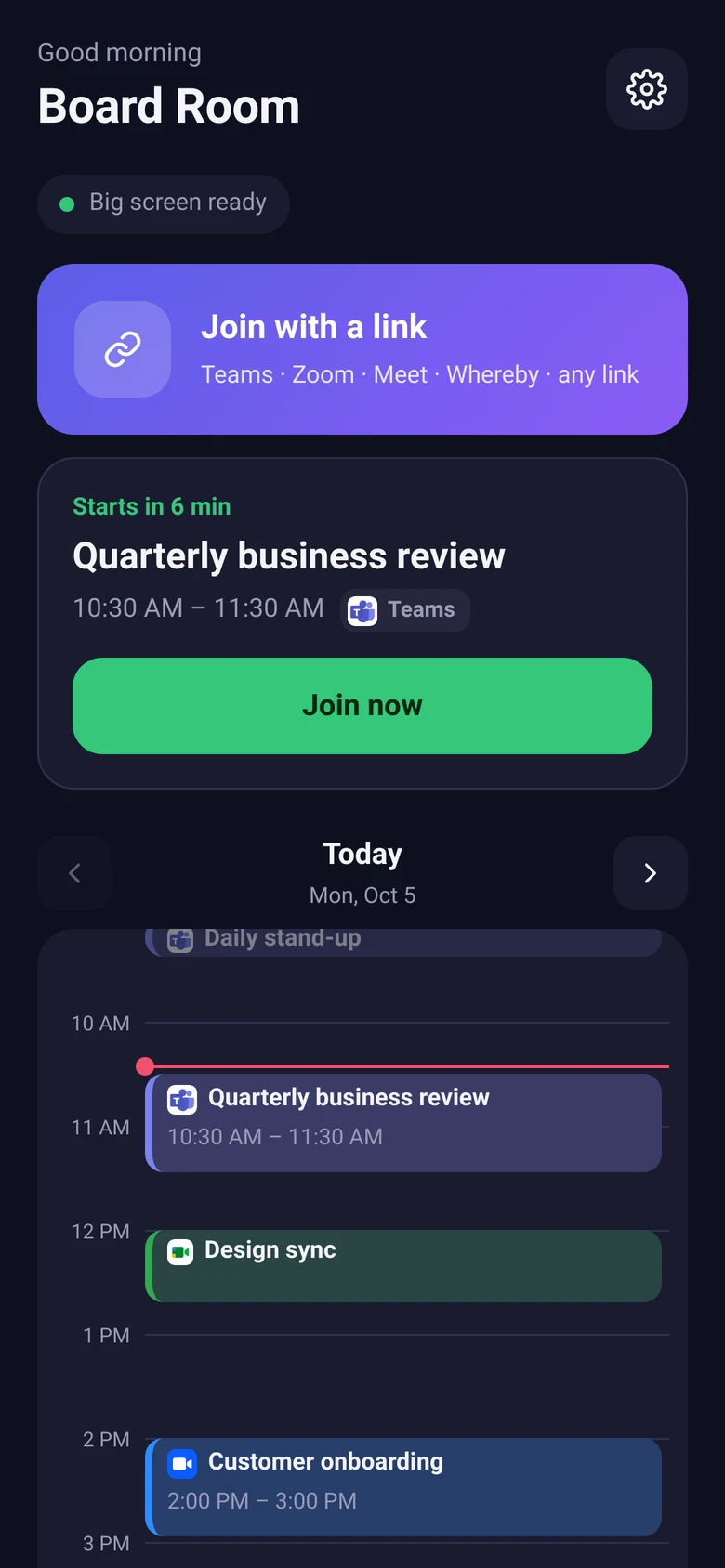
An Outlook-style day view on the TV and the phone, from your Outlook or Google calendars. Tap a meeting to join.
Teams, Google Meet, Zoom, Whereby, Jitsi — or paste any link. MeetZ recognises it and handles each one its own way.
Pick the room's display name, mic and camera before you join. Waiting rooms and errors are shown clearly on both screens.
The second screen, an HDMI cable or a wireless laptop — swipe between them without stopping the share.
Connect a laptop to the HDMI cable and it's shared automatically. Unplug, and sharing stops within seconds.
Participants on one display, shared content on the other — so the room never loses sight of either.
A Linux PC, a TV and an optional USB capture card. No per-platform room licences, no proprietary console.
The remote
Scan the code on the TV and the room is in your hand — the same calendar as the big screen, one tap to join, and every meeting control once you're in.
Dual-screen rooms
In a two-display room, MeetZ keeps the participants on the main screen while the shared content fills the second — exactly what the remote side receives.
Getting started
No new hardware platform to learn. Set up once, then anyone can walk in and start.
Install MeetZ on a PC wired to the TV. Add an HDMI capture card if you want laptops to plug in.
Paste the room's Outlook or Google calendar link. Today's meetings appear on the TV straight away.
Anyone in the room scans the code on the TV, enters the room PIN and taps the meeting. That's it.
Private by design
MeetZ runs on the room PC on your own network. Nothing to sign up for in the cloud.
Only people with the room PIN can control it. Calendar links stay on the room PC — never sent to phones.
Wireless sharing needs the code shown on the TV, which changes every few minutes — you have to be in the room.
Join as the room, as a guest. No personal accounts are stored on the room PC unless you choose to sign one in.
The platform
Here's what's live today and what's coming next.
Join, mute, camera, volume, reactions, leave
Outlook & Google calendars, day timeline
Instant switching, auto-share on plug-in
AirPlay and browser share with room code
Native wireless share from Windows
Scan in with your own calendar, log out on leave
Org → floor → wing → room, for hundreds of rooms
Who used which room, and which meetings ran
FAQ
No. MeetZ joins meetings through the platforms' own web experience, as a guest or with an account you sign in. One room works across Teams, Google Meet, Zoom and more.
A PC running Linux connected to a TV or display, and the room's network. Add a USB HDMI capture card for wired laptop sharing and a second display for dual-screen rooms. A USB camera and speakerphone complete the setup.
No. The remote runs in the phone's browser — scan the code on the TV and enter the room PIN. Laptops share wirelessly from the browser or with AirPlay; nothing to install.
Yes. Macs and iPhones use AirPlay — the room appears in Screen Mirroring. Any other laptop opens the address on the TV and enters the code shown there. Windows Miracast (Win + K) is coming soon.
Calendar links are stored only on the room PC and are never sent to phones. The TV and phone show just the day's meetings.
The admin console — with an org, floor, wing and room hierarchy, roaming user profiles and an audit trail — is on the roadmap. Talk to us about early access.
See MeetZ running in a real room — Teams, Meet and Zoom, wired and wireless sharing, all from a phone.